What MCP connects—and what it does not decide
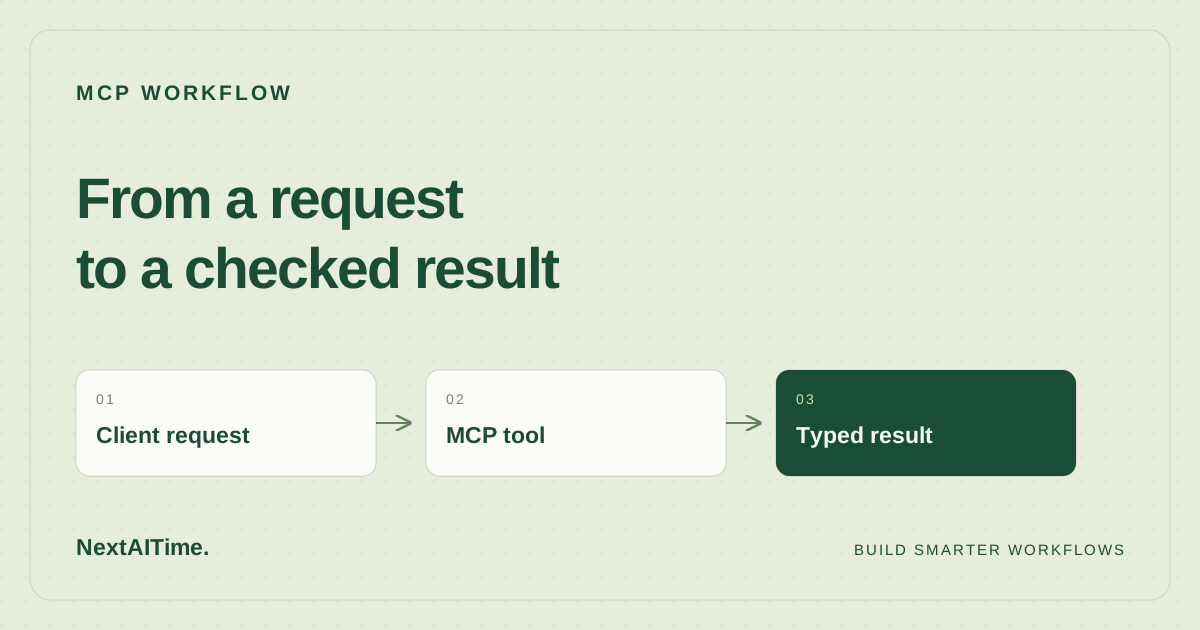
The Model Context Protocol standardizes how AI applications connect to tools and context. Its architecture distinguishes the host application, the clients it manages, and servers that expose capabilities. A server can expose tools, resources, and prompts; the host still needs to decide how those capabilities enter a user workflow.
That distinction matters. Connecting a tool does not make its inputs trustworthy or its results correct. For this example, the tool accepts a list of changed files and a test-status flag. Those are supplied assertions, not independent evidence that a repository passed its tests. The output is a checklist for review, never permission to release.
This is a local integration exercise rather than an autonomous agent. No language model chooses a tool call here. Once the interface is predictable, you can evaluate how an MCP-capable host discovers and uses it.
1. Prepare an isolated example
You need Python 3.11 and uv. Create a new directory and keep the two files below together. Do not name either file mcp.py, because that would shadow the installed package.
mkdir mcp-release-demo
cd mcp-release-demo
The run command below pins mcp==2.3.0 and asks uv for Python 3.11. uv may download the interpreter or dependencies if they are missing. Dependency installation requires network access; the demonstrated client-to-server call itself stays in memory. Use the pinned version for reproduction instead of assuming examples for another SDK generation have the same API.
2. Define a tool with a structured result
Save this as server.py. The SDK registers the function as a tool. A Pydantic model describes the response fields so the client can read structured data instead of parsing prose. This follows the SDK’s documented structured-output approach.
from mcp.server import MCPServer
from pydantic import BaseModel

mcp = MCPServer("Release checklist")


class Checklist(BaseModel):
    changed_file_count: int
    ready_for_human_review: bool
    next_step: str


@mcp.tool()
def release_checklist(changed_files: list[str], tests_passed: bool) -> Checklist:
    """Prepare a release review checklist; never publish or deploy anything."""
    return Checklist(
        changed_file_count=len(changed_files),
        ready_for_human_review=bool(changed_files) and tests_passed,
        next_step="Review the diff and approve separately.",
    )
The tool does not read files, execute tests, write a repository, or publish a release. Keeping it deliberately narrow makes its limitations easy to inspect. ready_for_human_review means only that the two supplied conditions match this example’s rule. It says nothing about code quality, test coverage, or whether a person should approve the diff.
3. Call it through an MCP client
Save this as check_client.py. The Python SDK supports an in-memory client attached to a server object. That lets you test the MCP interface without managing a subprocess, listening port, or host-specific configuration.
import asyncio
from mcp import Client
from server import mcp


async def main():
    async with Client(mcp) as client:
        result = await client.call_tool(
            "release_checklist",
            {"changed_files": ["src/app.py"], "tests_passed": True},
        )
        print(result.structured_content)
        assert result.structured_content["ready_for_human_review"] is True
        blocked = await client.call_tool(
            "release_checklist",
            {"changed_files": ["src/app.py"], "tests_passed": False},
        )
        assert blocked.structured_content["ready_for_human_review"] is False
        print("Both checklist paths passed. No deployment was performed.")


asyncio.run(main())
Run both cases with the pinned package:
uv run --python 3.11 --with "mcp==2.3.0" python check_client.pyThe first result should contain changed_file_count: 1 and ready_for_human_review: True. The second call supplies a failed test flag and asserts that readiness is false. A successful run ends with:
Both checklist paths passed. No deployment was performed.These two assertions verify the example’s decision rule across its passing and blocked paths. They do not establish production reliability or validate a real test runner. If the command fails, confirm the Python and SDK versions and that both files are in the same directory before modifying the code.
4. Inspect the interface before adding autonomy
The official SDK also documents an MCP Inspector workflow. An optional next step is:
uv run --with "mcp[cli]==2.3.0" mcp dev server.pyThis optional command was not part of our executed test. Follow the Inspector’s startup instructions and inspect the tool name, description, argument schema, and response. Do not expose a development inspector to the public internet. If you instead connect a particular desktop or editor host, use that host’s current MCP documentation; configuration formats are not interchangeable.
Keep host integration separate from testing the tool. A model might misunderstand a field, omit a necessary step, or provide a plausible-looking value without evidence. Observe those cases explicitly before connecting a repository or external account.
5. Add real evidence one boundary at a time
To evolve this into a useful release-preparation workflow, replace the supplied test flag with an independently recorded test result and bind it to a specific commit. Verify that the diff being reviewed is the same commit the tests covered. Treat missing or stale evidence as a blocked checklist.
- Collect: read a bounded diff and a trusted test result.
- Prepare: generate a checklist and identify unresolved issues.
- Review: let a person inspect the evidence and proposed action.
- Act: use a separate, explicitly authorized deployment mechanism.
Do not give the checklist server deployment credentials merely because it can describe a release. Add logging that records task IDs and outcomes without storing secrets. Keep retry limits and a clear stopping condition. Our workflow design guide expands on those handoffs, while the AI stack budget guide covers the review and maintenance work around them.
You can download the exact server and client used here. The practical milestone is modest but useful: a tool with an explicit interface, a reproducible call, and a tested condition that prevents this example from presenting failed tests as ready for review.
Sources & further reading
Primary references used for product and technical information. Features and terms can change; check the provider before committing.
- MCP architecture overviewAccessed 2026-10-17
- Official MCP Python SDK READMEAccessed 2026-10-17
- MCP Python SDK: structured outputAccessed 2026-10-17
- MCP package 2.3.0Accessed 2026-10-17